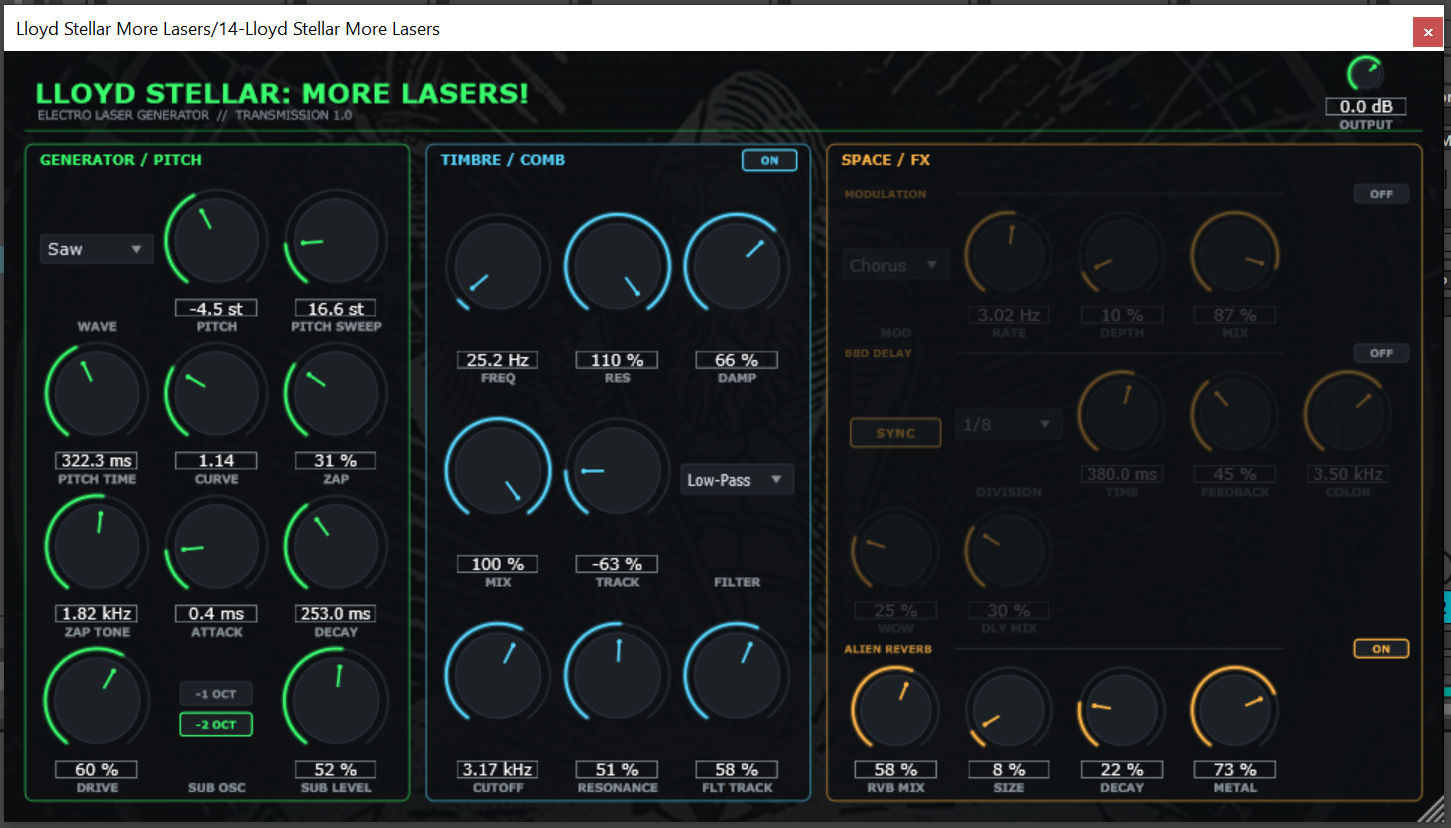
A screenshot of the More Lasers interface, with the generator, comb filter and effects laid out across three panels:
What It Does
More Lasers generates laser and zap sounds from scratch. You start with a pitch sweep, shape its curve and speed, then push it through a resonant comb filter and a set of effects. It is made for electro, but it works anywhere you need a sharp zap or a screaming laser.
Key Features
Laser and zap generator with pitch sweep, curve and time
Resonant comb filter that can overdrive into harsh, metallic tones
Low-pass filter with resonance and key tracking
Sub oscillator with selectable octave for extra weight
Output drive for grit and saturation
Built-in chorus, delay and reverb
Made by electro producer Lloyd Stellar
Filters & Effects
Comb filter: resonant comb section with damping and key tracking that can be driven into overdrive
Chorus: rate, depth and mix controls for movement and width
Delay: bucket-brigade style delay with tempo sync, feedback, tone color and wow
Reverb: a space reverb with size, decay and a metallic character control
System Requirements
Windows 10 or Windows 11
64-bit DAW with VST3 support, such as Ableton Live, FL Studio or Bitwig
4GB RAM minimum
2GHz dual-core processor
Windows Only, No macOS Version
More Lasers is available for Windows only. I build and test everything on Windows, and I do not own any Apple hardware. Because a macOS build has to be compiled and signed on a Mac, I have not been able to make a macOS version. If that changes, I will add one here.
Frequently Asked Questions
How do I install More Lasers?
Download the zip file and unpack it. Copy the included "Lloyd Stellar More Lasers.vst3" folder into your VST3 folder, which on Windows is usually C:\Program Files\Common Files\VST3. Then rescan plugins in your DAW and load More Lasers as an instrument.
Is there a macOS version?
No. The plugin is Windows only for now, because I do not own any Apple hardware to build and test a macOS version on.
Is it free?
Yes. Like everything on Lloyd Stellar's Homepage, More Lasers is completely free to use.
Where can I get support?
If you have any questions about my tools, please use the contact form to get in touch.
Official Merchandise
Lloyd's Shirt Lab on Etsy sells t-shirts for Lloyd Stellar, LDI Records and CDI, plus a few vintage synthesizer designs.