Lloyd's Plugins: Free VST Plugins and Max for Live Devices
Lloyd's Plugins are five free downloads for your DAW. Three are VST3 plugins: Lloyd's Lasers puts laser modulation on any sound, More Lasers builds laser and zap sounds from scratch, and Lloyd's Robot Vocal raps your typed lyrics on the beat in 49 robot voices. Two are Max for Live devices for Ableton Live 12: Lloyd's Sample Maker turns a jam into a sample pack, and Lloyd's App2Live puts sounds from apps on their own tracks in Live. No account, no payment.
Updated
I am Lloyd Stellar, an electro producer and software developer from Hilversum. Electro runs on laser zaps and robot voices, so those were the first plugins I built. I work in Ableton Live, which is why the other two are Max for Live devices. The tools that run in your browser, such as the online TR-808 and the vinyl video maker, are on Lloyd's Music Tools.
Which plugin do you need?
If you came here with a job in mind, this table points you to the right plugin.
Max for Live device, every sound on its own warped track
The five plugins
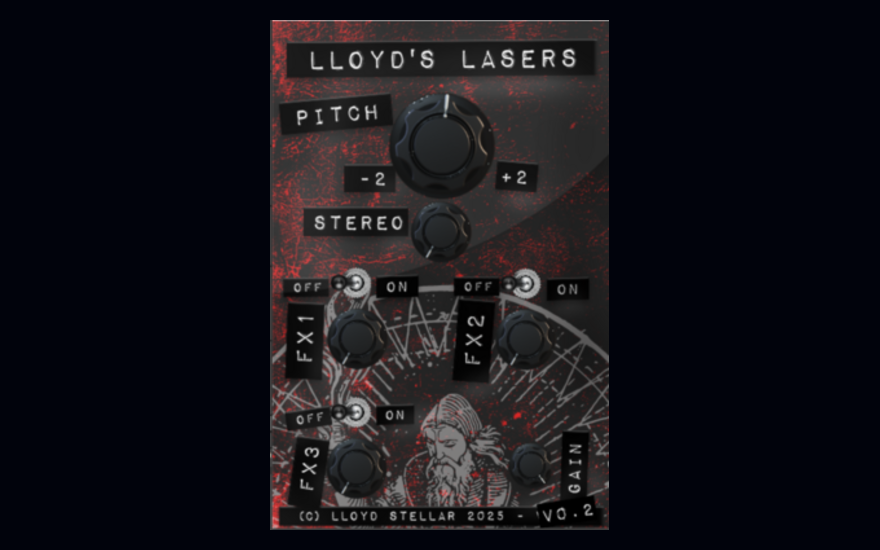
Lloyd's Lasers VST3 Plugin Free laser sound effects for Windows and macOS
Lloyd's Lasers is a VST3 effect plugin that puts laser-inspired modulation on whatever you run through it. It was made for electro, where a laser zap on a snare or a lead is part of the vocabulary, but it works on any source that needs some science fiction. The parameters are open, so a subtle shimmer and a full ray gun are both in there.
Version 0.2 is a free download of 38 MB with an installer for Windows (.exe) and one for macOS (.dmg). It loads in any 64-bit DAW that hosts VST3, such as Ableton Live, FL Studio or Logic Pro.
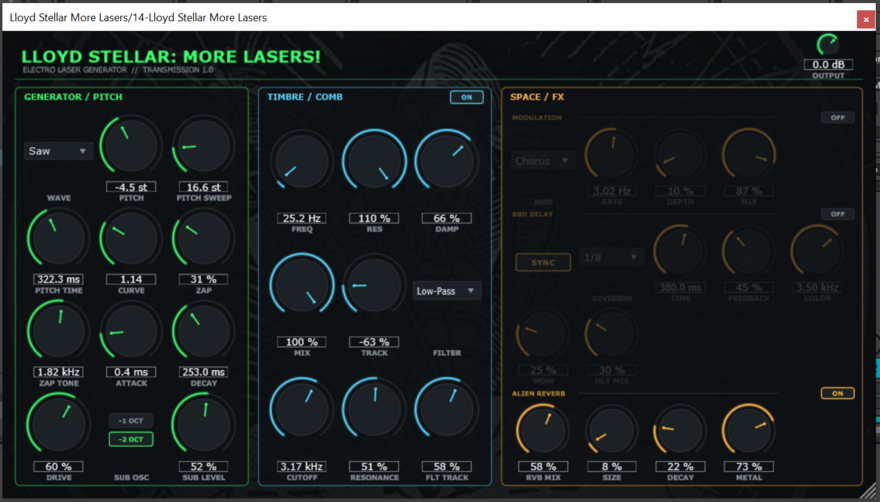
Lloyd Stellar: More Lasers Free laser and zap sound generator, Windows
More Lasers does one thing: it generates laser and zap sounds from scratch. You start with a pitch sweep and set its curve and speed, then push it through a resonant comb filter that overdrives into harsh metal when you want it to, a low-pass filter with key tracking, and a sub oscillator for weight. Chorus, delay and reverb are built in, so the zap is finished inside the plugin.
It is a VST3 instrument for Windows only (I build and test on Windows and own no Apple hardware). Version 1.0 is a 3.5 MB download: unpack the zip, copy the .vst3 folder into your VST3 folder and rescan in your DAW.
Runs on Windows 10 and 11, 64-bit VST3 hosts
Engine pitch sweep, comb filter with overdrive, low-pass, sub oscillator, drive
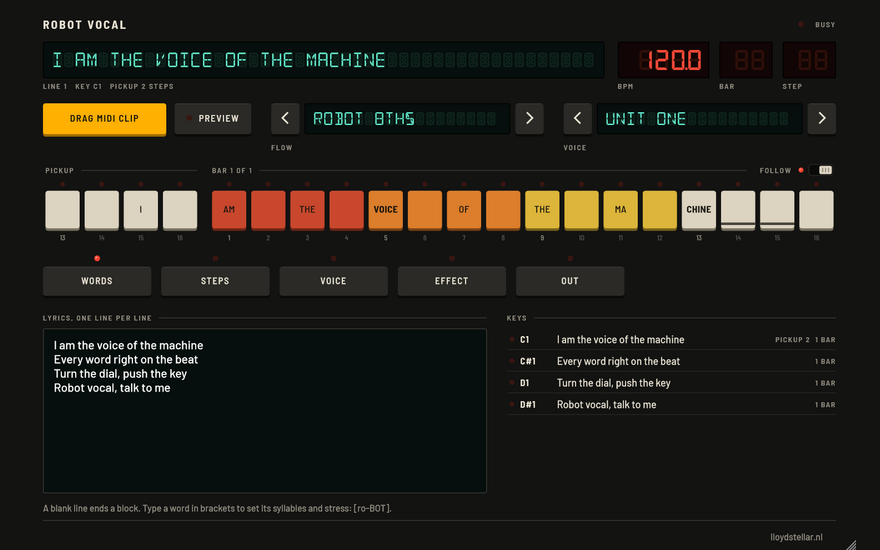
Lloyd's Robot Vocal Free robot voice VST3 that raps your lyrics on the beat
Robot Vocal is an instrument plug-in for the robot vocals of electro and old-school rap. You type the lyrics, one rap line per line, pick a flow and a voice, and every syllable lands on a step of the bar at the tempo of your set. Each line plays on its own MIDI key, and the plug-in makes the MIDI clip for you: drag it into Live and press play. PREVIEW plays the lyrics on an example beat first.
There are 17 flows, from robot 8ths and the electro 3+3+2 bounce to boom bap and half-time trap, each with the BPM range where it sounds best. The 49 voices come from six kinds of speech synthesis: formant voices, early home computers, talking computers of the mid 80s, a 1978 spelling toy and eSpeak NG. Vocoders, talkboxes, delays and plate reverbs are built in. Any syllable can be moved, lengthened or stuttered by hand. There is an Android app with the same name, too.
Runs on Windows (VST3), macOS 11 or later (VST3 and Audio Unit)
Inside 49 voices, 17 rap flows, vocoders and talkboxes
Out MIDI clip, key names for Live's piano roll, WAV
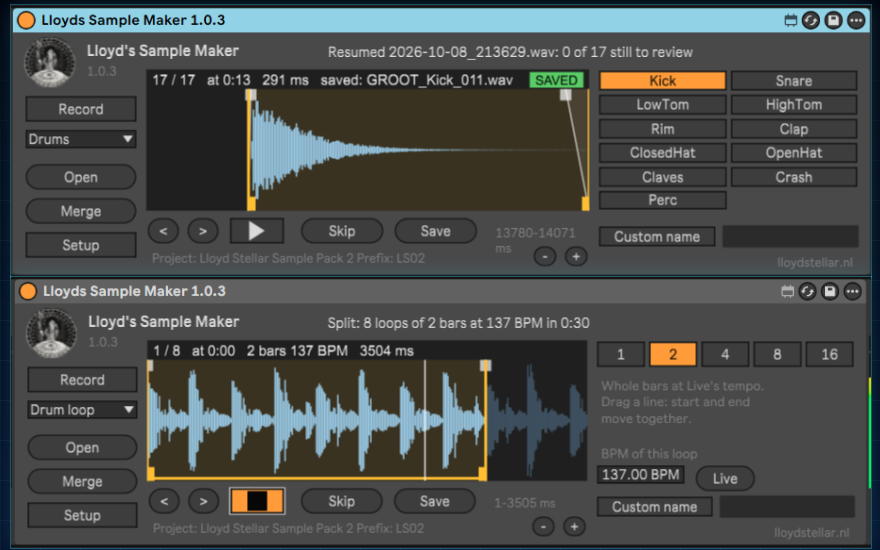
Lloyd's Sample Maker Free Max for Live device: turn a jam into a sample pack
Lloyd's Sample Maker is a Max for Live device for Ableton Live 12 that does the bookkeeping of a sample pack while you play. Put it on a track, a group or the master, press Record, jam for a while on your synths and drum machines, and press Record again. The device cuts the take into one shots or loops of whole bars at Live's tempo. You listen to each sound, drag the start and end if you want, and press Save or Skip.
Every saved sound lands in the right folder of your pack as a 24-bit WAV with a clean name: prefix, type, the synth or machine, the note, BPM or key, and a number that counts up per type. Six sound types, note detection for synth one shots, and a memory that survives switching Live Sets, so one pack can come from many tracks. I made it for myself and it works my way; the manual is six pages.
Runs in Ableton Live 12 Suite, or Standard with Max for Live, Windows and Mac
Lloyd's App2Live Free Max for Live device: send sounds from apps to Ableton Live
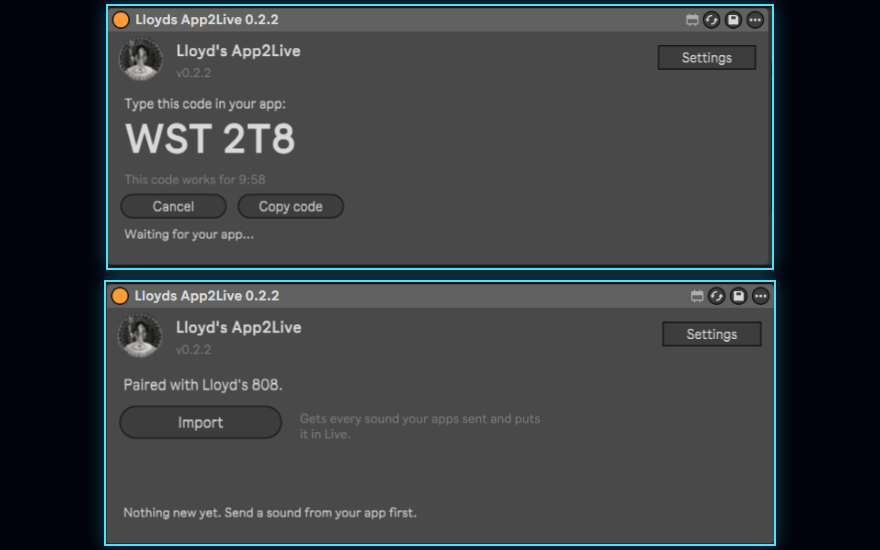
Lloyd's App2Live (LA2L) brings sounds from an app on your phone or in your browser into Ableton Live. Put the device on an audio track and pair an app once with the six-character code it shows. From then on the app can send its loops and samples, and when you click Import, every sound lands on its own new audio track, named and coloured.
Loops arrive warped to the tempo the app made them in, with a warp mode that fits the sound; one-shots play exactly as the app rendered them. LA2L never touches the tempo of your Set, and the files are saved in your project folder, so Collect All and Save works as usual. The first app with a Send to Live button is the online TR-808 on this site: every drum lands on its own track as a four-bar loop.
Runs in Ableton Live 12.4 or newer with Max for Live, Windows and Mac
Apps the online TR-808, LA2L Sender for any WAV, mp3 or m4a file
Open source Apache License 2.0, with a developer kit for web and Android apps
Each plugin page has the full steps. The short version:
Lloyd's Lasers comes with an installer: run the .exe on Windows or the .dmg on a Mac.
More Lasers: unpack the zip, copy the .vst3 folder into your VST3 folder and rescan in your DAW.
Lloyd's Robot Vocal: on Windows, copy the whole Robot Vocal.vst3 folder to C:\Program Files\Common Files\VST3. On a Mac, run the install script from the zip; Robot Vocal is not signed by a registered Apple developer yet, and the script gets it past the block macOS puts on it.
I miss the internet of the 1990s, when you could download a plugin from somebody's homepage without an account, a license key or a newsletter. This site is my attempt to keep that alive. I am a system administrator and software developer by trade and I have always liked open source for the same reason; Lloyd's App2Live is open source too.
My own music works the same way: the latest EP is free on Bandcamp, and about a quarter of the people who download it pay something anyway. If a plugin here ends up on one of your tracks, the best thanks is to listen to one of mine or to tell another producer.
Frequently asked questions
Are the plugins free?
Yes. All five are free downloads, with no account, no trial period and no premium version. You download a zip straight from the page of each plugin.
Do the plugins work on macOS?
Four of the five do. Lloyd's Lasers comes with a .dmg installer for macOS 10.15 and newer. Lloyd's Robot Vocal is a VST3 plus Audio Unit for macOS 11 or later, on Apple Silicon and Intel. Lloyd's Sample Maker and Lloyd's App2Live run in Ableton Live on Windows and Mac. More Lasers is Windows only, because I build and test on Windows and do not own Apple hardware.
Which DAW do I need?
For the three VST3 plugins, any 64-bit DAW that hosts VST3, such as Ableton Live, FL Studio or Bitwig. The manual of Robot Vocal is written for Ableton Live 12. The two Max for Live devices need Ableton Live: Lloyd's Sample Maker runs in Live 12 Suite, or Live 12 Standard with Max for Live; Lloyd's App2Live needs Live 12.4 or newer with Max for Live.
What is the difference between a VST3 plugin and a Max for Live device?
A VST3 plugin is a program in a standard format that most DAWs can load. A Max for Live device is an .amxd file that only runs inside Ableton Live with Max for Live. You do not install it: you drag it onto a track.
Can I use the sounds I make in my own releases?
Yes. Sounds you make with the Lasers plugins belong to you, and what the Sample Maker cuts is your own recording.
More free stuff on Lloyd Stellar's Homepage
The tools that need no download are on Lloyd's Music Tools: an online TR-808 that sends its drums straight to App2Live, a vinyl video maker, a lyric cutter and a Commodore 64. Done working? Lloyd's Future Arcade has five free retro games with a worldwide hall of fame.